Photo Location Guide: Mastering EXIF Data for Location Identification
Have you ever looked at an old photo and wondered, "Where was this photo taken?" The answer often lies hidden within the image file itself, in a treasure trove of data called EXIF. Having analyzed thousands of photo metadata files throughout my career, I'll show you how this technical information reveals far more than just GPS coordinates and is key to finding a location from a picture. Our tools transform these digital fingerprints into actionable insights, helping you find the location from a photo.
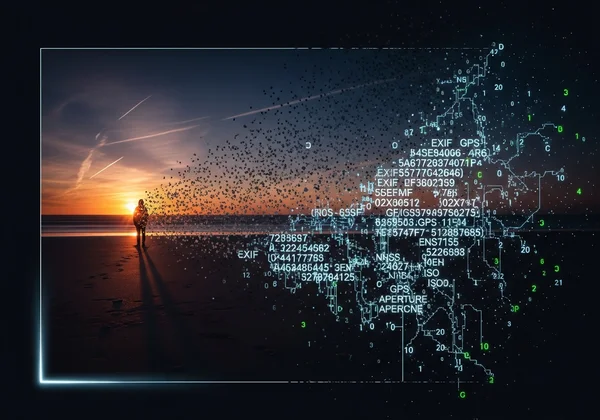
Beyond GPS: Unpacking Core EXIF Metadata
While GPS data is the most direct way to get a location from a photo, most images don't contain it. That's where other EXIF tags become invaluable clues for any photo locator tool.
Camera and Lens Fingerprints
Every photo carries detailed equipment data. The **Camera Model** (e.g., Canon EOS R5) and **Lens Model** (e.g., RF 24-105mm f/4L IS) tags act like a digital signature. This information is more than just trivia; it helps professionals track gear performance and can offer subtle location clues. For instance, certain high-end lenses are more commonly used for specific types of photography, like architectural or wildlife, which can narrow down the potential environment.
The Exposure Triangle as Context
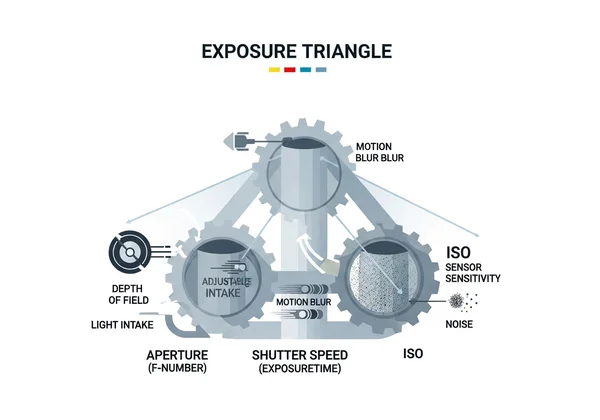
The **ExposureTime** (shutter speed), **FNumber** (aperture), and **ISOSpeedRatings** tags form photography's "exposure triangle." Our data reveals some fascinating patterns that help identify location from a photo online:
-
Fast Shutter Speeds (e.g., 1/2000s): Often indicate bright, outdoor daylight conditions, perfect for sports or action. This makes an indoor location less likely.
-
Wide Apertures (e.g., f/1.8): Typically used to create a shallow depth of field for portraits or to gather more light in dim environments like dense forests, city streets at night, or indoor events.
-
High ISO (e.g., 3200+): A clear sign of low-light conditions, reinforcing clues from a wide aperture and suggesting an indoor, nighttime, or heavily shaded setting. Combined with other data, these technical parameters paint a detailed picture of the environment where the photo was taken.
Timestamps as a Solar Compass
The **DateTimeOriginal** tag is one of the most powerful tools to geolocate a photo when GPS is missing. It's not just about the "when," but the "where." By cross-referencing the exact time with visual cues in the image—like the length and direction of shadows—an advanced image location finder can use solar position algorithms to estimate the photo's hemisphere and approximate longitude. This temporal data also helps contextualize seasons (e.g., snow in December suggests the Northern Hemisphere) or specific events. Upload a time-stamped photo to see this temporal analysis in action.
How to Access and Manage EXIF Data
Understanding EXIF data is one thing; accessing it is another. Luckily, you don't need to be a programmer to read this metadata. Most modern operating systems have built-in tools for viewing it.
Viewing EXIF Data on Windows and macOS
- On Windows: Simply right-click an image file, select "Properties," and then navigate to the "Details" tab. You'll find a scrollable list of EXIF tags, from the camera model to the GPS coordinates (if present).
- On macOS: Open your photo in the Preview app. Go to the menu bar, click "Tools," and select "Show Inspector." A small window will appear; click the "i" (info) tab and then the "EXIF" sub-tab to see the detailed metadata. For more advanced analysis, specialized software like Adobe Lightroom, Adobe Bridge, or dedicated free tools like ExifTool offer a much more comprehensive view.
Editing and Removing EXIF Data for Privacy
While EXIF data is useful, it can also pose a privacy risk, especially the GPS and camera serial number tags. If you want to share a photo online without revealing its location or other sensitive details, it's wise to strip this information. Both Windows and macOS offer simple ways to remove personal data. In the Windows "Properties" -> "Details" window, you'll find a link at the bottom that says "Remove Properties and Personal Information." On a Mac, you can use the "Show Inspector" tool in Preview to remove location data. Many social media platforms automatically strip most EXIF data upon upload, but it's always best practice to manage it yourself before sharing.
Advanced Analysis to Determine Location from a Photo
When basic EXIF data isn't enough, a combination of metadata and AI visual analysis can uncover the location.
Using Light and Shadows as Geospatial Clues
Less than 30% of photos contain GPS tags. To compensate, our system leverages advanced AI vision analysis. By combining the **DateTimeOriginal** tag with visual information, we can:
-
Analyze Shadow Direction: The angle and length of shadows act as a natural sundial. Our algorithms can calculate the sun's position (azimuth and elevation) for that exact moment in time, which dramatically narrows down possible longitudes and latitudes on Earth.
-
Match Weather Patterns: Unique cloud formations or specific weather phenomena visible in a photo can be cross-referenced with historical meteorological databases, providing another layer of geographic evidence. This fusion of data makes it possible to determine a photo's region even without explicit geotags.

Lens Distortion as an Architectural Fingerprint
Every lens warps reality in a subtle, measurable way. Wide-angle lenses, in particular, create "barrel distortion," where straight lines appear to curve outwards. This isn't a flaw; it's a physical property that can be used to find a location from a picture. Our AI models are trained to recognize these distortion patterns and match them against 3D models of known landmarks and architectural databases. For example, the specific distortion from a 14mm lens pointed at the Colosseum in Rome creates a unique visual signature that can pinpoint the photographer's position to within a few meters. This is a powerful technique for reverse image search location finding.
Reconstructing Panoramas from Stitching Data
Panoramic photos contain hidden XMP metadata about their individual "stitch points"—the overlapping areas used to combine multiple images. By analyzing the geometric relationship between these points, our tool can computationally reconstruct the photographer's exact pivot position and field of view. This is incredibly useful for identifying sweeping landscapes, mountain vistas, or urban skylines where a single shot might lack distinguishing features.
Practical Applications: From Photo Location to Workflow Mastery
Beyond helping answer "where was this picture taken?", EXIF data is a powerhouse for photographers.
Copyright Protection and Workflow Automation
The **Copyright** and **Artist** tags embedded in your photos are legally admissible metadata that can prove ownership. Many photographers have found that using this evidence can significantly speed up dispute resolutions. Furthermore, you can use this data to automate your workflow. Digital asset management (DAM) software like Adobe Lightroom allows you to create "smart collections" that automatically group photos based on EXIF criteria. Imagine instantly finding every photo you took with your 50mm f/1.8 lens in Paris last year—that's the power of EXIF.
Organizing and Filtering Your Photo Library
Tired of scrolling through thousands of photos? Use EXIF data to create a highly organized library. You can:
- Filter by Lens: Quickly see which lenses you use most often for certain subjects.
- Sort by Exposure: Find all your long-exposure night shots or high-shutter-speed sports photos.
- Group by Location: If your photos have geotags, you can automatically sort them into albums based on the city or country where they were taken.
Learning by Reverse-Engineering
One of the best ways to improve your own photography is to study the work of others. Download a full-resolution photo from a photographer you admire (with permission and proper credit) and examine its EXIF data. By looking at their **ExposureBiasValue**, **MeteringMode**, and **FocalLength**, you can deconstruct their technical choices and apply those lessons to your own work.
Ready to discover what your photos secretly know about where they were taken? An advanced photo locator can decode these hidden clues. Find your photo's location from an image now →
Common Questions About Photo Location Data
Can you find location from a photo without GPS data?
Yes. Advanced tools use a fusion of AI visual analysis and EXIF metadata. By analyzing clues like shadows, architecture, time of day, and even vegetation, it's possible to determine a location without GPS. Test it with your GPS-stripped photos.
How accurate is timestamp-based location determination?
It can be surprisingly accurate for regional identification. For clear daytime photos, using solar position algorithms based on timestamps and shadows can often pinpoint a location within a 50km radius, which is excellent for narrowing down the country or state.
What EXIF data should I remove for privacy?
For maximum privacy when sharing images publicly, you should prioritize removing GPS coordinates, the camera's **SerialNumber, and potentially the precise **DateTimeOriginal. Data like camera make, focal length, and exposure time are generally safe to keep and are useful for other photographers.
Is my uploaded data and EXIF information kept private?
Privacy is paramount. Reputable services process image and metadata temporarily in memory during analysis and do not store your files. The data should be permanently erased shortly after the analysis is complete. Always check the privacy policy of any tool you use. You can read our privacy protocol here.